IIS security scanner for web applications and ASP.NET
Modern IIS environments don’t fail because of open ports or missing patches alone. The real risk lies in the web applications and APIs running on top of the server – especially in ASP.NET environments where authentication, business logic, and database access all intersect.
Traditional infrastructure checks can confirm whether IIS is exposed. They cannot tell you whether your applications can be exploited. Invicti scans IIS-hosted applications from the outside in, identifying real, exploitable vulnerabilities in running web apps and APIs so your team can focus on fixing what actually reduces risk.
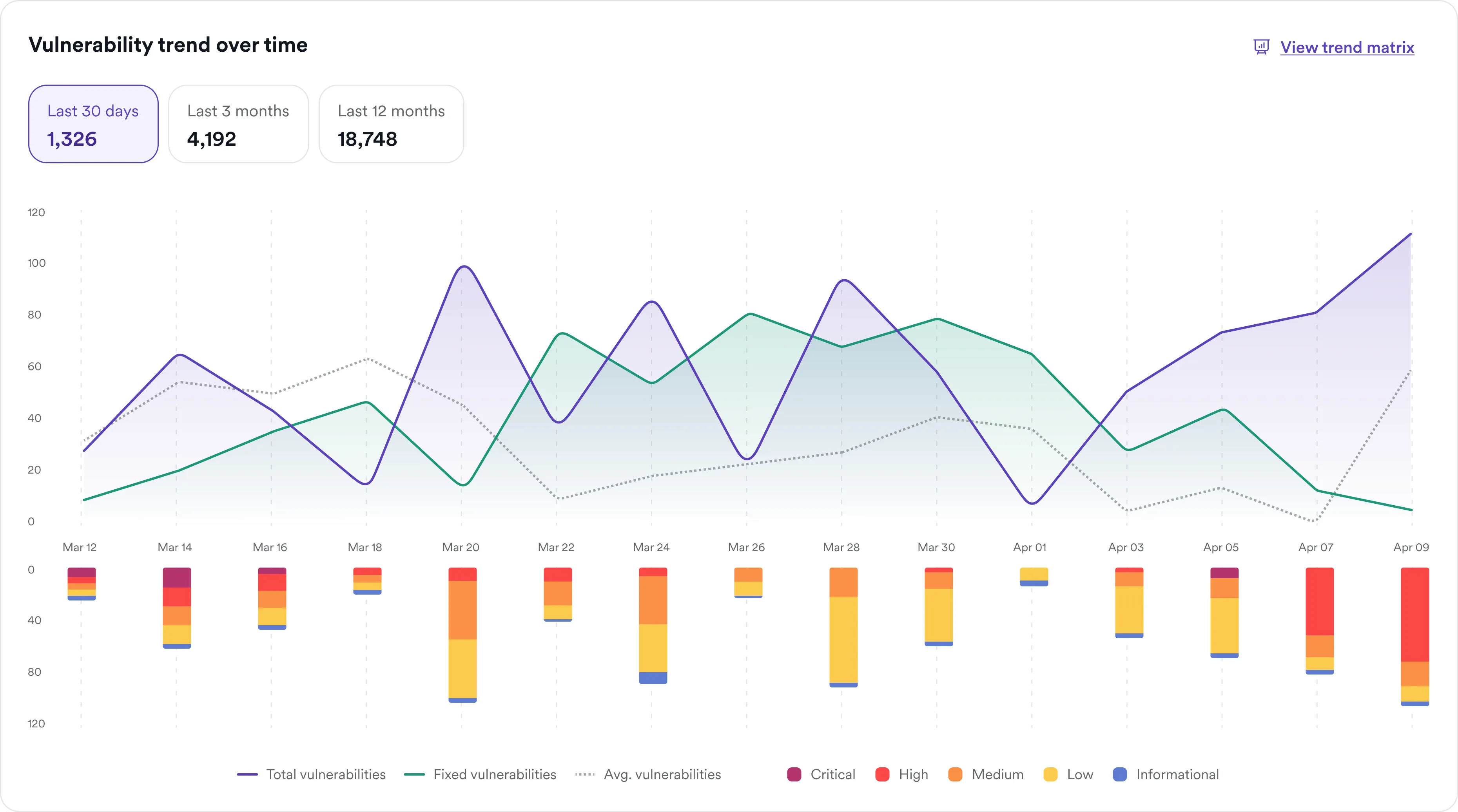

5000+ Top Organizations Trust Invicti


What IIS security scanning actually involves
Many teams approach IIS security as a server problem – reviewing configurations, closing ports, and applying patches. Those steps are necessary, but they only address part of the attack surface. Effective IIS security scanning operates at the application layer. Instead of inspecting the server alone, it tests how applications behave in real conditions, interacting with inputs, authentication flows, and backend systems.
Unlike static tools that analyze code without execution, dynamic application security testing (DAST) tests running applications to identify vulnerabilities that are actually reachable and exploitable. This includes issues such as SQL injection, cross-site scripting (XSS), and broken authentication. Some tools focus specifically on IIS configuration checks, such as reviewing server settings or enabled modules. While useful for hardening, these tools do not test how applications behave in real conditions.
Effective IIS security requires application-layer testing that identifies vulnerabilities attackers can actually exploit. Scanning IIS effectively means testing the applications it serves, not just the server configuration.
Why IIS-hosted applications present unique security risks
IIS environments often combine legacy infrastructure with modern application complexity, creating a broad and sometimes underappreciated attack surface.
Older IIS versions, including legacy deployments of IIS 6 and 7, are still present in enterprise environments, increasing exposure to known weaknesses. Even in newer versions, default configurations can result in information disclosure through HTTP response headers such as Server or X-Powered-By.
Built-in features can also introduce risk. For example, misconfigured WebDAV can expose unintended HTTP methods, while legacy behaviors such as 8.3 filename (tilde) enumeration can allow attackers to map application structure.
On top of this, ASP.NET applications add another layer of exposure through authentication flows, session handling, and database interactions – making the application layer the primary target for attackers.

What to look for in an IIS vulnerability scanner
Not all scanners are designed to handle the realities of IIS environments. When evaluating tools, focus on capabilities that directly impact coverage and accuracy. Look for:
- Application-aware crawling: The scanner must navigate dynamic ASP.NET applications, including JavaScript-heavy interfaces and multi-step workflows.
- Accurate vulnerability detection: Tools that generate large volumes of unverified findings create noise and slow down remediation.
- Proof of exploitability: Validated results help teams focus on real issues. The ability to confirm vulnerabilities automatically is critical to reducing false positives.
- Authentication support: Enterprise IIS applications often sit behind login screens – scanning must include authenticated areas to be effective.
- API coverage: Modern IIS applications rely heavily on APIs, which must be discovered and tested alongside the user interface.
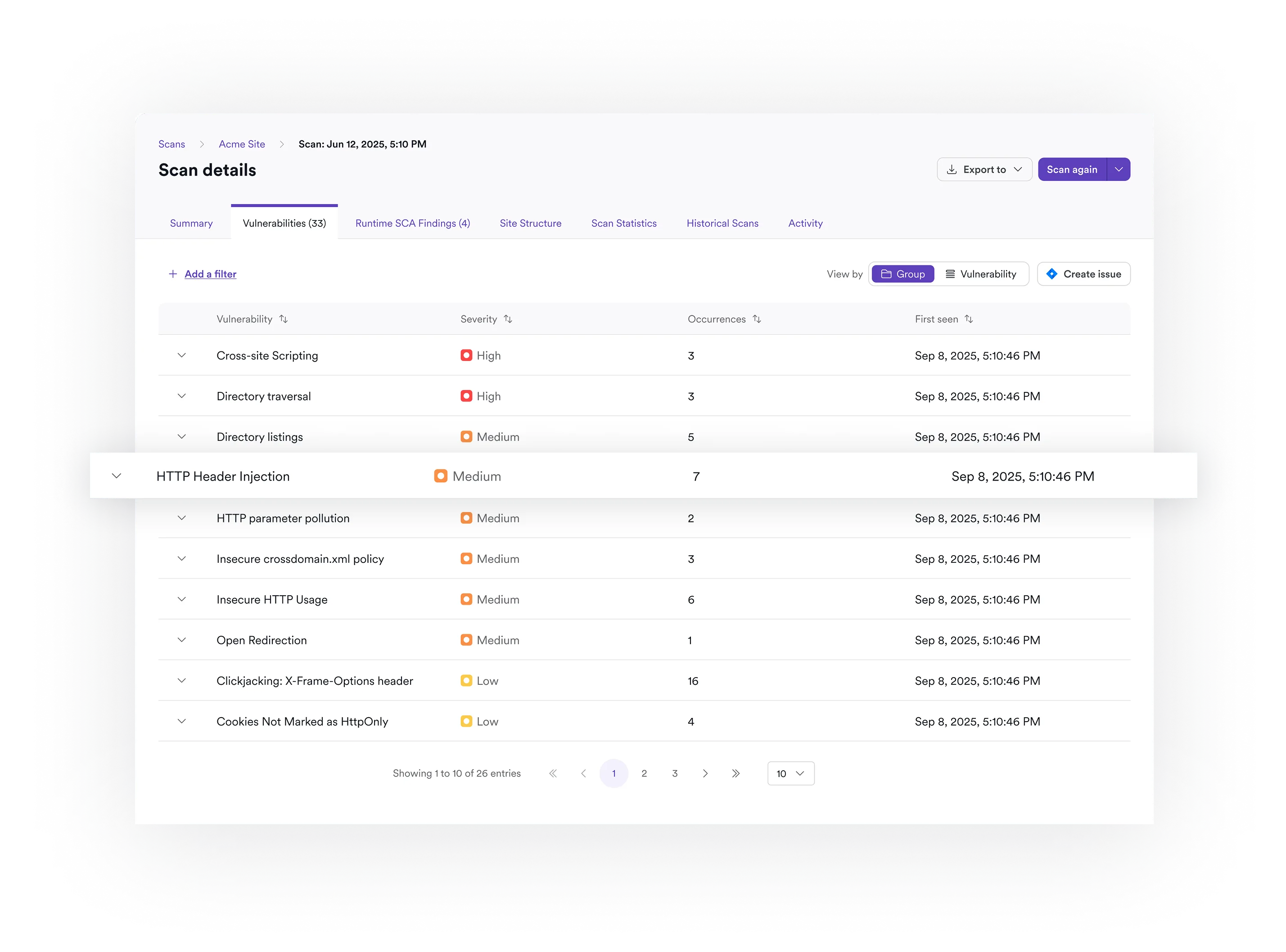
How Invicti scans IIS applications
Invicti applies a DAST-first approach to IIS security, focusing on vulnerabilities that can be exploited in running applications rather than theoretical risks identified in isolation:
- DAST-first testing approach: Invicti tests applications from the attacker’s perspective, identifying vulnerabilities that are accessible and exploitable in real-world conditions.
- Proof-based scanning: Invicti uses proof-based scanning to safely confirm many vulnerabilities by performing a controlled, non-destructive exploit. This provides clear evidence that a vulnerability is real and removes the need for manual verification.
- Unified web and API coverage: Invicti tests both web applications and APIs in a single platform, reflecting how modern IIS environments actually operate.
- Advanced crawling and authentication: The scanning engine handles complex application flows, including login-protected areas and dynamic content.
- Developer-ready results: Findings include clear context and remediation guidance, helping teams move quickly from detection to fix.

Reduce risk – don’t just generate more findings
Finding vulnerabilities is only part of the challenge. The real goal is reducing risk efficiently.
Invicti helps teams prioritize what matters by focusing on validated, exploitable vulnerabilities instead of large volumes of low-confidence alerts. This reduces noise and allows both security and development teams to act with confidence.
As part of a broader application security platform, DAST acts as a validation layer, confirming which issues are actually reachable and exploitable. This improves prioritization and accelerates remediation across IIS-hosted applications and APIs.
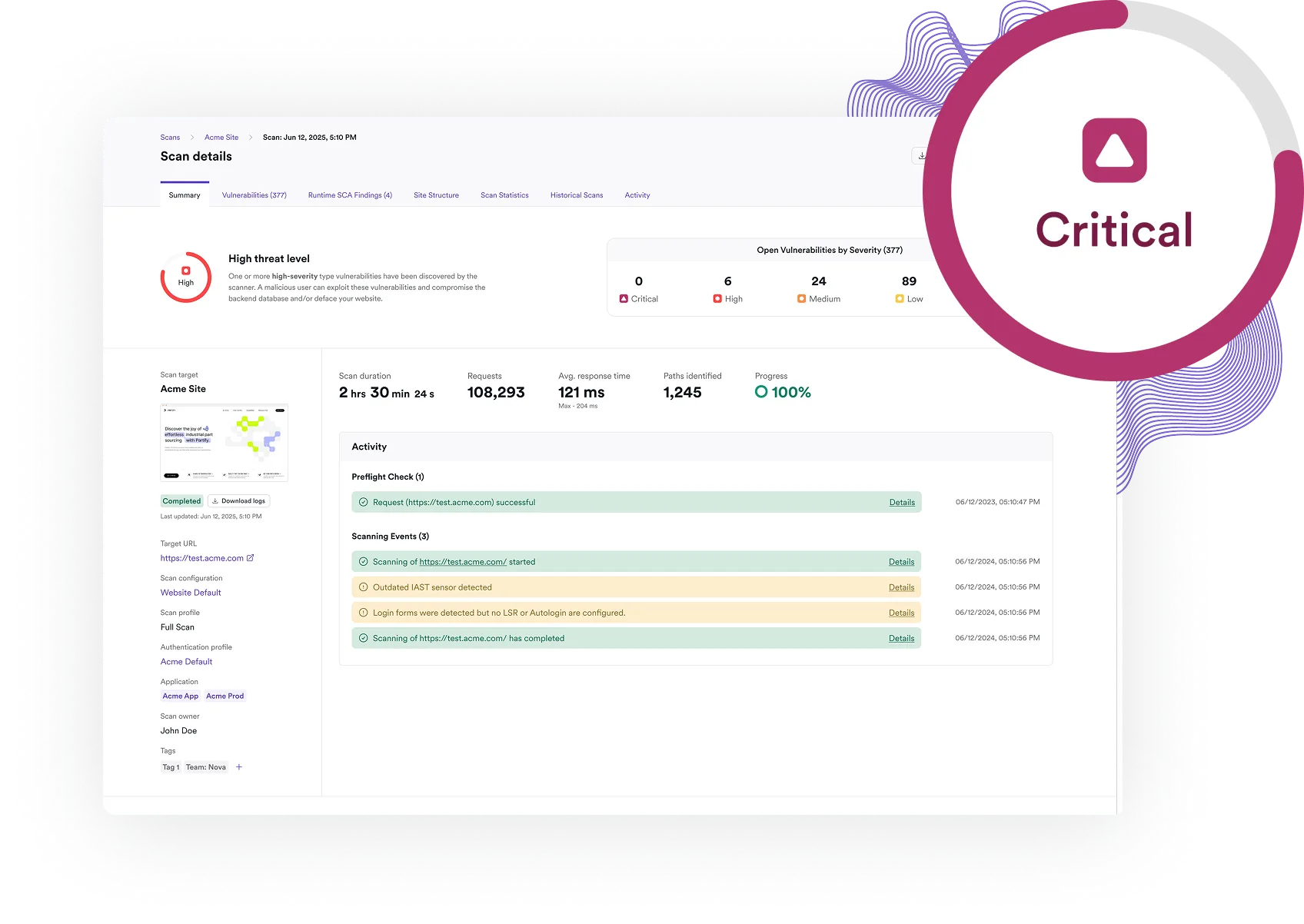
Integrate IIS security scanning into your workflow
For enterprise teams, scanning must fit into existing development and compliance processes.
Invicti integrates with popular tools including Azure DevOps, GitHub, GitLab, and Jira, which allows vulnerabilities discovered in IIS applications to be automatically tracked and assigned. This helps teams move from detection to remediation without disrupting development workflows.
Built-in reporting supports common compliance frameworks, including PCI DSS, HIPAA, and the OWASP Top 10. This makes it easier to demonstrate coverage and maintain consistent security standards across IIS environments.
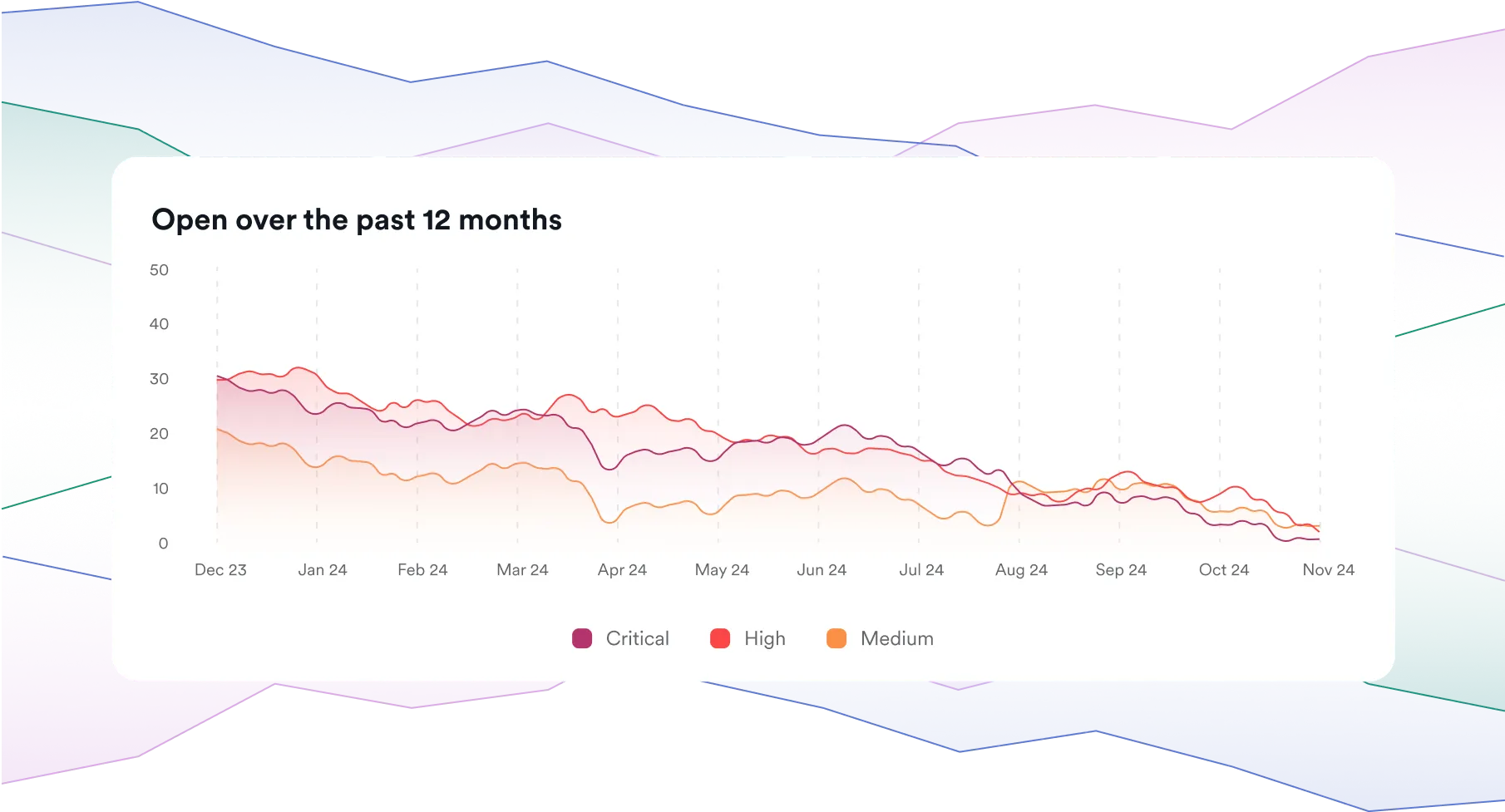
Common mistakes when scanning IIS environments
Even mature security programs can leave gaps when scanning IIS environments.
Relying only on network scanners provides visibility into infrastructure but misses application-layer vulnerabilities entirely. Scanning without authentication limits coverage, leaving large portions of applications untested.
APIs are another common blind spot, even though they often expose the same data and functionality as the user interface. Treating all findings as equal can also slow remediation, especially when results are not validated.
Effective IIS security scanning requires full application coverage, including authenticated areas and APIs, along with clear prioritization of real risk.
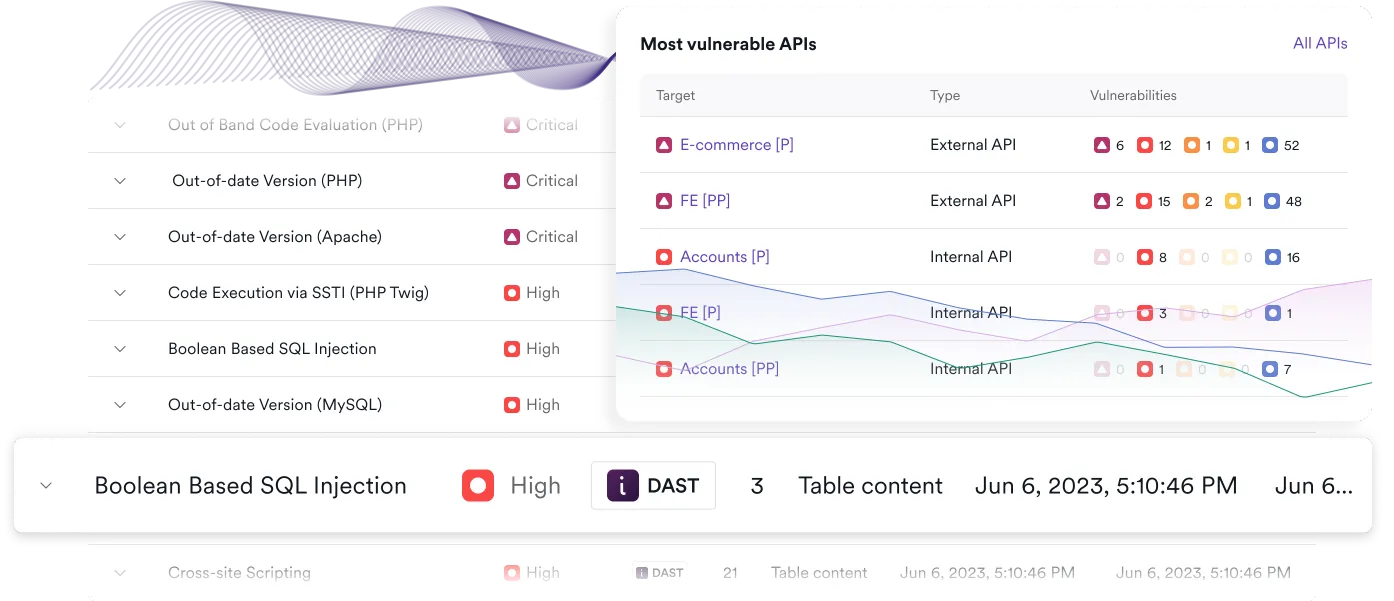
See how Invicti identifies real IIS vulnerabilities
Invicti helps you move beyond surface-level checks to identify and validate real vulnerabilities in IIS-hosted applications and APIs. With accurate, validated results, your team can focus on fixing what actually reduces risk. Request a demo to see it at work in your environment.
What customers say

“For more websites, we now don’t need to go externally for security testing. We can fire up Invicti, run the tests as often as we like, view the scan results, and mitigate to our hearts’ content. As a result, the budget we were spending every year on penetration testing decreased by approximately 60% almost immediately and went down even more the following year, to about 20% of our initial spending.”

“The software is an important part of my security strategy which is in progress toward other services at OECD. And I find it better than external expertise. I had, of course, the opportunity to compare expertise reports with Invicti ones. Invicti was better, finding more breaches.”

“We scan all our websites for vulnerabilities as they are being developed. These scans are also used to satisfy a yearly scanning requirement from our governing organization. We have identified and corrected over 100 vulnerabilities with Invicti.”

“As opposed to other web application scanners we used, Invicti is very easy to use and does not require a lot of configuring. An out of the box installation of Invicti web application security Scanner can detect more vulnerabilities than any other web application security scanner we have used so far.”
Frequently asked IIS security scanner questions
To effectively secure IIS environments, you need a web vulnerability scanner that tests applications at runtime. Network scanners alone cannot identify application-layer vulnerabilities such as injection flaws or authentication issues.
Yes. Automated scanning can identify a wide range of issues, including server misconfigurations and application-layer vulnerabilities, especially when using advanced DAST tools.
Yes. In fact, most of the risk in IIS environments comes from ASP.NET applications and APIs, which must be tested as part of any comprehensive scan.
Yes. Invicti delivers actionable vulnerability reporApplications should be scanned regularly, especially after updates or changes. Many organizations move toward continuous or automated scanning as part of their development workflows.ts complete with remediation guidance for APIs as part of its integrated workflow.
Yes. Invicti explicitly provides API discovery as part of its platform and its layered discovery approach helps fill gaps in known inventories.
When setting up API scanning on the Invicti Platform, you can define more than one user account to be used in auth-related testing, ideally a higher and a lower privilege account. By comparing access attempts using both accounts, Invicti can detect horizontal and vertical broken access issues.
Yes. API testing explicitly maps results to much of the OWASP API Top 10, including IDOR/BOLA, BFLA, and injection flaws.
Invicti supports scanning across REST, SOAP, and GraphQL APIs, dynamically adjusting to their structure.
Find and fix real vulnerabilities in your IIS and ASP.NET applications.